 01 / DESIGN
Autodesk Fusion
Start with a sketch. Build a 3D model, explore basic assemblies and shape your design.

 Programme subject matter expert
From an idea in your head
to a prototype in your hands.
Learn to design, prepare and print with Autodesk Fusion, Bambu Studio and the Bambu Lab A1 Mini.
Registered course: 3D Printing Essentials: From Digital Design to Physical Prototype
TGS-2025061253 | 24 hours | Classroom-based
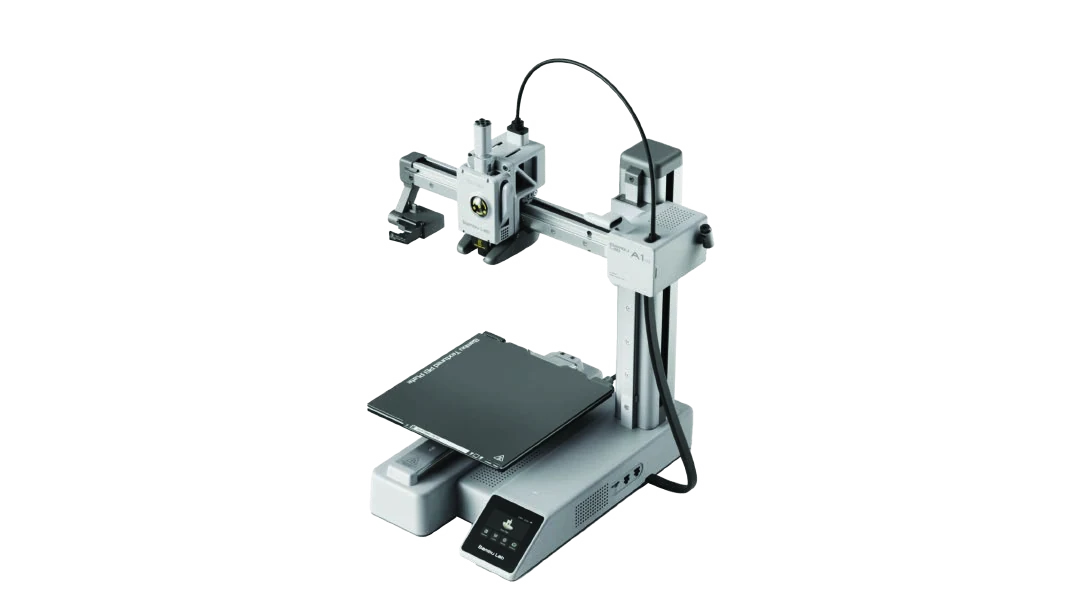
Personalised pieces. Useful objects. A starting point for your next idea.
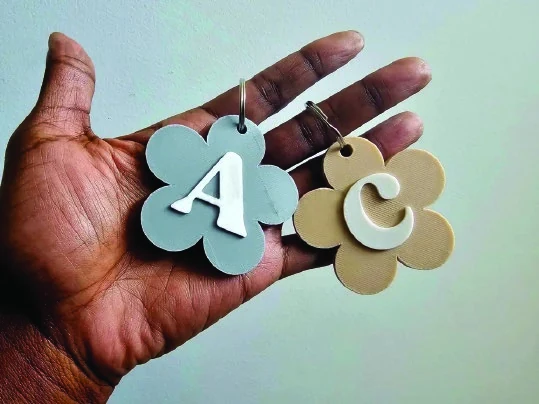
Explore custom shapes and details through personalised designs.
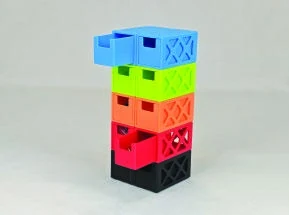
See how a digital model can become useful, functional storage.
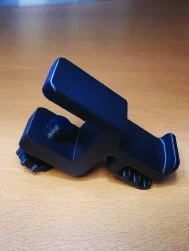
Explore form and function with everyday objects and accessories.
Understand the complete process: develop a digital design, prepare it for production and use a 3D printer to bring it into the physical world.
Understand additive manufacturing and common printing methods.
Create simple, print-ready 3D models from scratch.
Prepare models and adjust settings for printing.
Practise operating a printer and troubleshooting common issues.
Produce different 3D products in class.
Explore industry and commercial applications of 3D printing.
Build a foundation in additive manufacturing, then practise design, slicing and hands-on printing across 24 hours of classroom training.
Explore common printing methods, materials and real-world applications. Understand the process from initial design to finished product.
Sketch 2D profiles, convert them into 3D objects, build basic assemblies and learn foundational design principles in a guided workspace.
Prepare models for printing and explore material, colour, speed and strength settings. Understand how slicing connects your model to the printer.
Explore how generative AI can support turning sketches into models and refining designs. Check the output before preparing it for printing.
Get hands-on practice with the printer, produce 3D products in class and learn to identify and troubleshoot printing issues.
BELLS reserves the right to modify or replace any tools used in the programme in accordance to the industry relevance and learner experience without notice.
01 / DESIGNStart with a sketch. Build a 3D model, explore basic assemblies and shape your design.
 02 / PREPARE
Turn a model into a print-ready file. Work with slicing, material choices and print settings.
03 / PRINTWork with a real printer. Inspect your output and practise troubleshooting common issues.
Plus, AI-assisted exploration. Discover how generative AI tools can support your design process.
Minimum education: Completion of Lower Secondary education (Secondary 2 or equivalent).
Language proficiency: Learners should have at least WPL Level 4 or equivalent, particularly in reading and listening, to follow CAD instructions, safety guidelines, and 3D printing terminology.
Digital literacy: Basic computer skills are required. Learners should be able to:
Bring your own laptop for design and slicing activities. Confirm software setup and device requirements before class; a tablet is not a substitute for a laptop.
THINK DESIGN MAKEThink Design Make is a Singapore-based 3D printing solutions provider working across custom prototypes, production and hands-on training.
Compare the full fee and the funding categories below. All amounts are in Singapore dollars.
| 3D Printing Essentials: From Digital Design to Physical PrototypeTGS-2025061253 Funding Validity Period: 31 December 2025 - 30 December 2027 24 hours | Classroom-based | Full Course FeeBefore subsidies | SG Citizen(21-39 years old) or SG PRSkillsFuture Funding (Baseline) | SG Citizen(40 years old and above)SkillsFuture Funding (Baseline) + SkillsFuture Enhanced Subsidy | SME SponsoredSkillsFuture Enhanced Training Support for SMEs |
|---|---|---|---|---|
| Course Fee (inclusive of assessment fee) | $ 1,135.00 | $ 1,135.00 | $ 1,135.00 | $ 1,135.00 |
| SkillsFuture Funding | $0.00 | ( $ 567.50 ) | ( $ 794.50 ) | ( $ 794.50 ) |
| Total Nett Fee | $ 1,135.00 | $ 567.50 | $ 340.50 | $ 340.50 |
| GST @9% | $ 102.15 | $ 102.15 | $ 102.15 | $ 102.15 |
| Total Fee Payable | $ 1,237.15 | $ 669.65After 50% course fee subsidySkillsFuture Credit: eligible citizens only | $ 442.65After 70% course fee subsidySkillsFuture Credit: eligible citizens only | $ 442.65After 70% course fee subsidyEmployer funding subject to eligibility |
Before subsidies
S$1,237.15
Total Fee Payable, including GST
(21-39 years old) or SG PR
SkillsFuture Funding (Baseline)
S$669.65
Total Fee Payable, including GST
After 50% course fee subsidy
SkillsFuture Credit: eligible citizens only
(40 years old and above)
SkillsFuture Funding (Baseline) + SkillsFuture Enhanced Subsidy
S$442.65
Total Fee Payable, including GST
After 70% course fee subsidy
SkillsFuture Credit: eligible citizens only
SkillsFuture Enhanced Training Support for SMEs
S$442.65
Total Fee Payable, including GST
After 70% course fee subsidy
Employer funding subject to eligibility
TGS-2025061253
24 hours / Classroom-based
Funding validity: 31 December 2025 to 30 December 2027.
To receive the Statement of Attainment, trainees must:
The course introduces additive manufacturing basics and simple print-ready models. Entry requirements include Lower Secondary education (Secondary 2 or equivalent), at least WPL Level 4 or equivalent particularly in reading and listening, and basic computer skills. See the course entry requirements above for details.
3 days, totalling 24 hours of classroom-based training. Check the class schedule for available dates and venues.
The course brochure lists SkillsFuture Credit eligibility. Usage is subject to your eligibility and available credit. See the fee table and confirm your final payable amount with BELLS before enrolling.
The course brochure lists NTUC UTAP eligibility. Confirm the applicable support period, membership conditions and claim requirements before enrolling. It is not an automatic discount on the displayed fee.
The brochure specifies hands-on training using the Bambu Lab A1 Mini. It does not advertise a printer to take home. Ask our advisor about what is included in your intake.
You will practise producing 3D products in class. The brochure shows personalised tags, modular storage and a functional stand as examples. Actual products may vary with design choices and production constraints.
Yes. Bring your own laptop for Autodesk Fusion and Bambu Studio. Confirm compatibility and software setup before class. Printers are used during classroom training.
There is an additional $30.00 application fee. Application fee will be waived upon completion of programme. Submitting this enquiry does not make a payment or confirm enrolment.
Discuss the course, upcoming classes and your funding eligibility.